React development.Interfaces that stay understandable as your product grows.

React development for customer portals, SaaS interfaces and internal tools. We connect reusable components, clear state and reliable API contracts to the tasks your users need to complete.

Plan your React project
ReactComponent-based interfaces

Why choose
React?

Start with the task and operating constraints. These benefits depend on deliberate engineering decisions.

Reuse behavior, not just appearance

A component can carry a consistent interaction, validation message and accessible state across multiple screens. That gives future changes a clear place to live.

Agree component responsibilities and test variations with real content.
Make data changes visible

Loading, empty, failed and saved states help people understand what the application is doing. We model those states around actual API behavior.

Review slow responses, stale records and repeated submissions.

Choose rendering around the route

Public content and authenticated workspaces have different rendering and caching needs. React can participate in either approach through the selected application framework.

Server rendering can expose content to crawlers; it does not guarantee indexing or rankings.

How the pieces
work together.

Expand a pattern to inspect responsibilities and review questions. Final choices depend on your project requirements.

React + TypeScript

Use typed component inputs and domain models to make interface contracts easier to review. Validate external data at runtime as well.

  1. Domain model
  2. Typed components
  3. Rendered task
Review the boundary

Check required fields, optional values and malformed API responses.

React + Node.js APIs

Separate interface state from server-owned records. Document successful requests, authorization boundaries and recoverable failures.

  1. User interaction
  2. Authorized API
  3. Business records
Review the boundary

Check validation, duplicate submissions and denied access.

React + Next.js

Choose server and client responsibilities around the route. Keep interactive controls close to the data they need and keep credentials on the server.

  1. Public or account route
  2. Rendering boundary
  3. Interactive experience
Review the boundary

Review caching, private records and which content is present in the initial response.

React + a reusable interface system

Define components around the product’s recurring tasks, with shared tokens and responsive behavior. Reuse clear contracts instead of copying entire screens.

  1. Tokens & patterns
  2. Components & states
  3. Product journeys
Review the boundary

Inspect keyboard use, narrow layouts and long or missing content.

A stack with
clear responsibilities.

A project does not need every tool. Each addition should have a defined role.

The ecosystem.
Behind the experience.

Interfaces, application logic, data and operations. The building blocks work together around your project.

Frontend Development

  • React
  • Angular
  • JavaScript
  • HTML5
  • CSS3

Backend Development

  • Node.js
  • Express.js
  • Laravel
  • PHP

Database

  • MySQL
  • PostgreSQL
  • MongoDB
  • Firebase

Cloud & DevOps

  • Azure
  • AWS
  • Google Cloud
  • Docker
  • Jenkins

Software you can
actually explore.

Inspect the interface, change the inputs and follow the output. These public demonstrations use synthetic records.

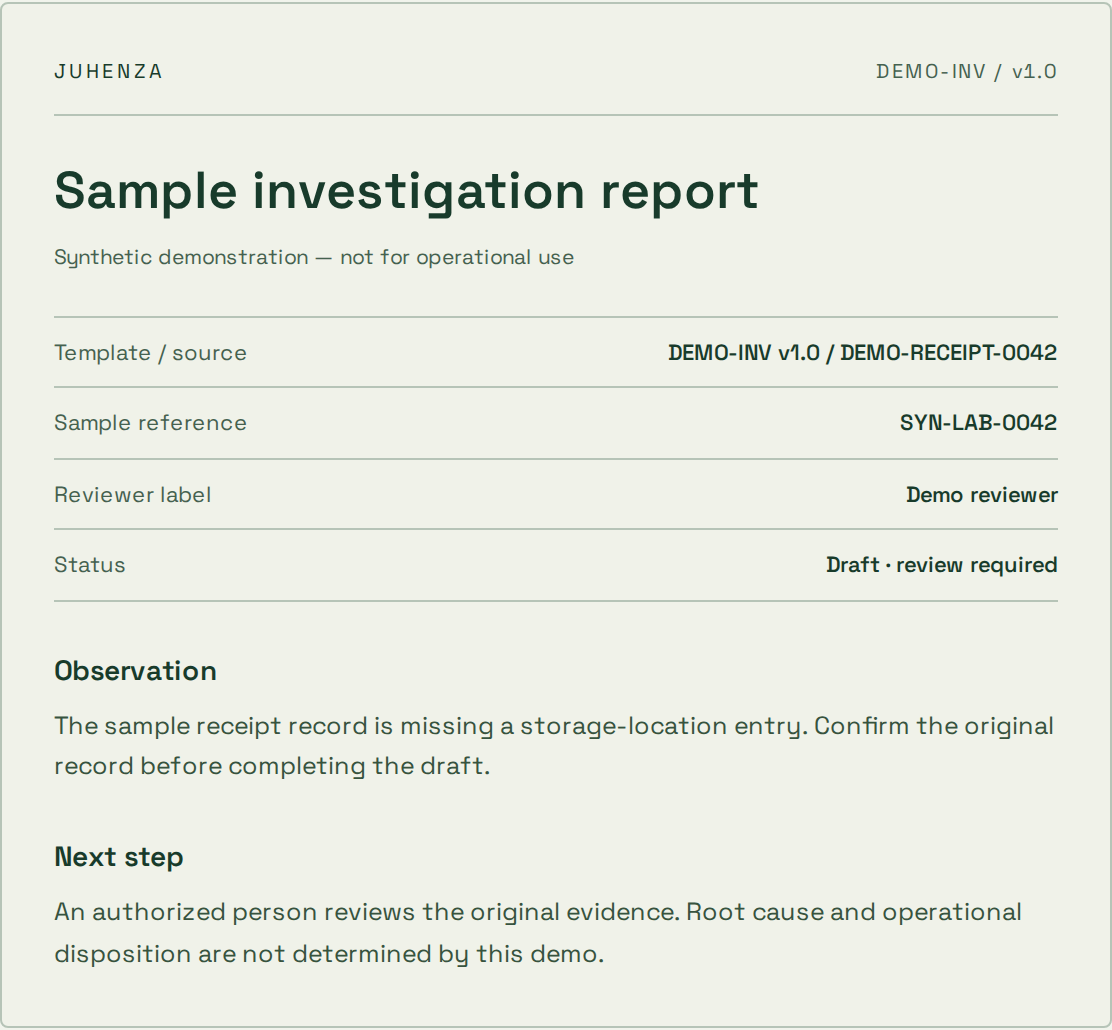
From a missing detail to a reviewable report.

Edit an observation. Inspect the generated draft. Confirm your sample review before exporting a PDF.

  • Live input and output
  • Visible source references
  • Human review before export
Explore the report demo
Actual sample report preview with source references, synthetic observation and review status

Ask a question. See where the answer comes from.

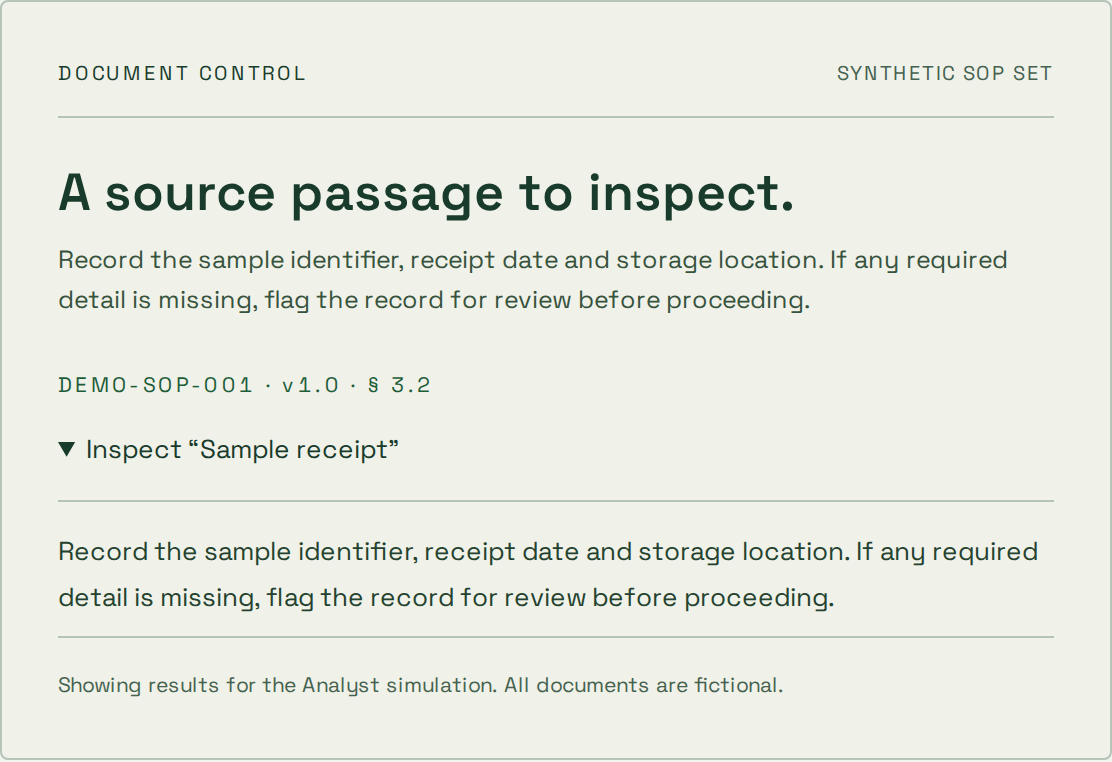
Explore a synthetic SOP library and inspect the source passage. Try a restricted role or an unsupported question.

  • Inspectable source passages
  • Simulated access boundaries
  • Deterministic topic search
Explore the document demo
Actual synthetic SOP source passage and document citation from the document assistant demo

Start where
your project is.

The first step depends on what is already known. These starting points help define an engagement; scope, price and timing are agreed separately.

Explore an uncertain idea

The problem is clear, but the approach is not.

  1. 1Question
  2. 2Prototype
  3. 3Decision

What you take forward

A bounded experiment, findings and a recommendation on what to validate next.

A prototype is not a production-ready service.

Deliver a defined scope

You know the workflow and can agree acceptance checks.

  1. 1Scope
  2. 2Build & review
  3. 3Handover

What you take forward

Agreed deliverables, verification evidence and operating instructions for the scoped release.

Changes to scope need an explicit decision on cost and timing.

Improve an existing system

A live system needs focused changes or ongoing care.

  1. 1Review
  2. 2Prioritize
  3. 3Release & observe

What you take forward

A prioritized backlog, reviewed changes and an agreed maintenance or support boundary.

Coverage, response targets and access are agreed per engagement.

How project pricing works

A useful foundation.
Before the first release.

Agree the boundaries that make the implementation maintainable as well as functional.
  1. Component-based interfaces

    Design reusable components around task states rather than copying screen markup. Define how forms, navigation and data updates behave with real API responses.

  2. State and data boundaries

    Separate server records from temporary interface state. Plan loading, errors and updates so a user can understand what has been saved.

  3. Rendering and delivery

    Choose rendering and code delivery around public discovery, interaction needs and the existing application. Measure the important journeys.

Questions about
React?

Practical answers before the build. Bring the details of your project to the conversation.

Can you improve an existing React application?

Yes. Start with the affected journeys, component boundaries, dependencies and API contracts. That review helps define whether targeted changes or a larger restructuring is appropriate.

Does React automatically make a website fast or searchable?

No. Rendering strategy, delivered JavaScript, content, network behavior and implementation choices all matter. Performance and crawlable content need to be checked on the built site.

Can a React web interface become a mobile app?

React Native is a separate mobile approach with shared concepts. Components and device behavior are not automatically interchangeable; native modules, platform conventions and release needs must be scoped.

How do you choose state management tools?

Start with which state is local, which is shared and which belongs to the server. Choose additional libraries only where the actual update and coordination requirements justify them.

Plan the next decision.

Still have questions?
Start with the brief.

Bring the problem you want solved. We’ll shape it into a project brief you can keep — or let AI draft a first approach.