
Built for
what’s next.
Websites, business software and automation for owners and teams who need a better way to work. Tell us what is slowing you down; we help you plan and build the solution.
Speak with the person responsible for planning and building your project.
Deliverables, exclusions and acceptance checks are documented before work starts.
We do not publish custom client code unless you explicitly agree to an open-source release.
What does your business
need help with?
Start with the problem you recognise. You do not need to choose a technology or know exactly what to build before getting in touch.
Explore all servicesA website for your business
Give customers a clear place to learn about your business, browse what you offer and get in touch.
Software for the way you work
Build an application for your customers or team, from bookings and records to the day-to-day work a spreadsheet no longer handles.
Less repetitive work
Explore ways to handle repeated tasks, connect your tools and search business documents without checking every file by hand.
Websites and software
we have built.
Look through working examples, what each project does and the scope of the build. Each case study includes a link to the live website.
Explore all case studies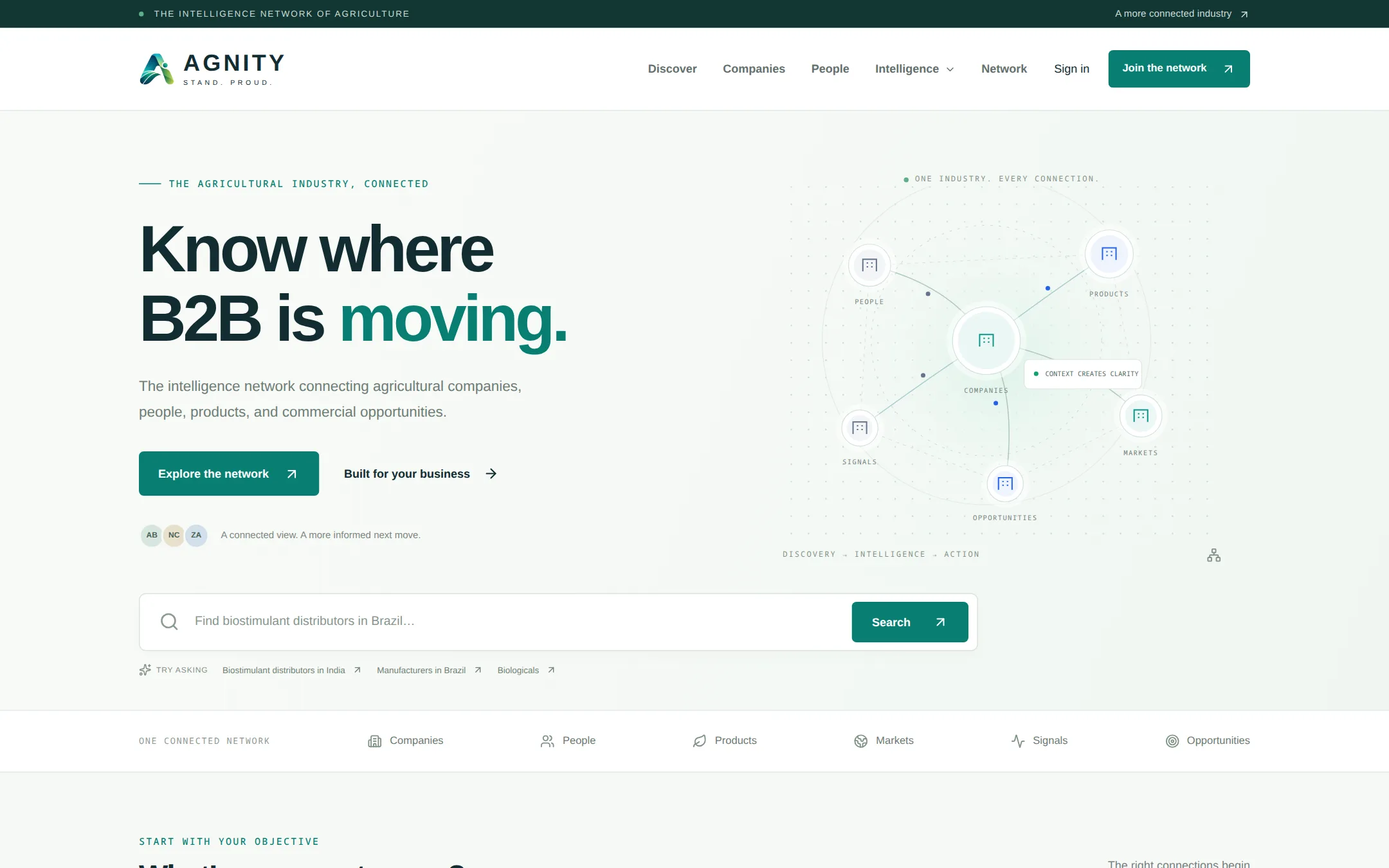
AGNITY
Agriculture intelligence platform
An agriculture business network for finding companies, products and opportunities, with search and matching tools.
Read the case study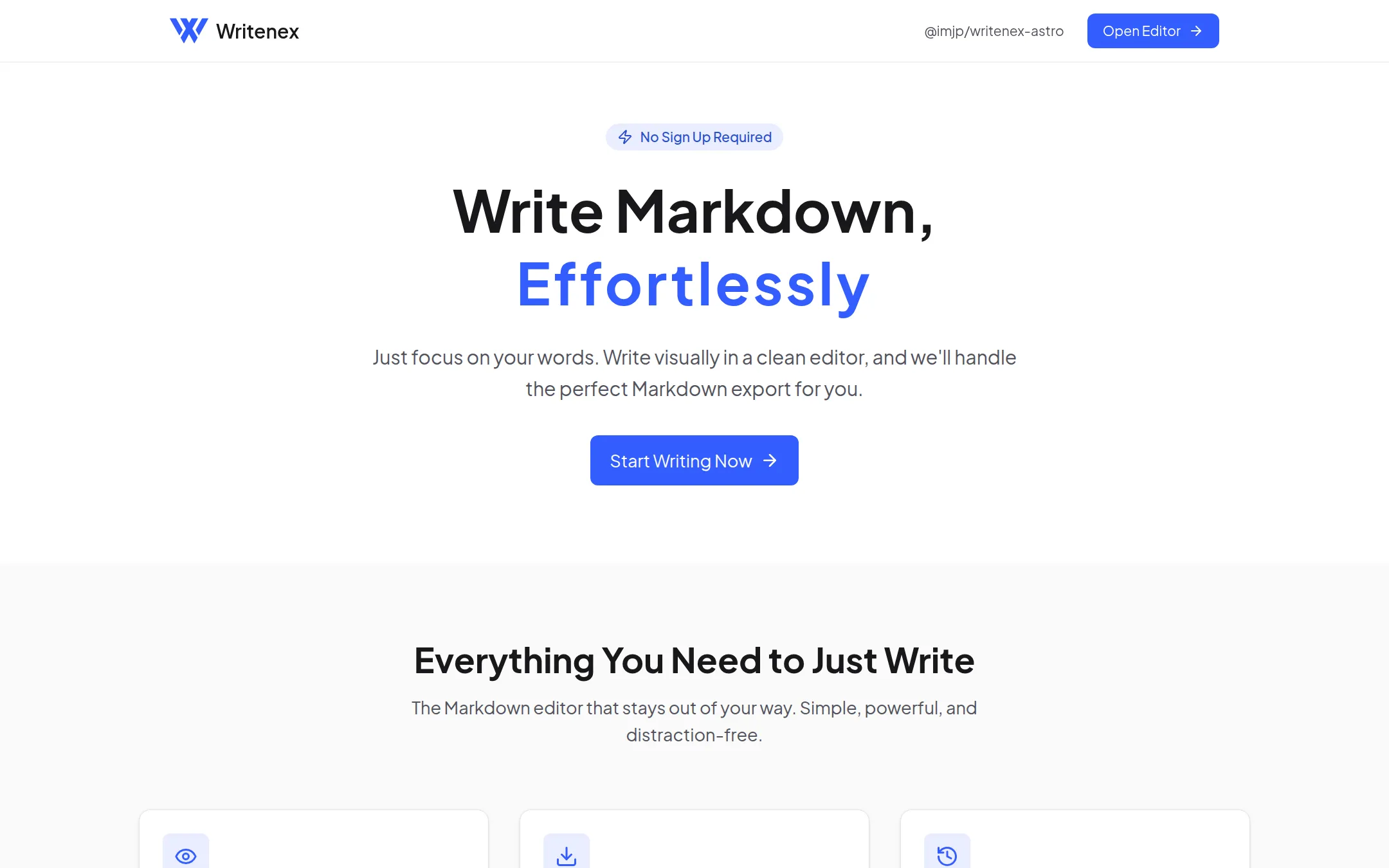
Writenex
Local-first writing software
A browser-based writing tool for editing and exporting documents. Works offline, keeps drafts on the device and needs no account.
Read the case study
Virako Industrial Safety & Workwear Catalog
Industrial product catalogue
An industrial workwear catalogue where buyers can browse products, check specifications and request bulk quotes.
Read the case studyProjects retain their own brands and operators. These case studies describe the software and its scope; they do not imply client endorsement or regulatory certification.
How we build.
From brief to handover.
You bring the business knowledge. We help turn it into a clear plan, a working solution and a handover your team can use. The first conversation starts with what happens today and what you need to change.
Meet JUHENZA- 1
Start from the problem
We review your current workflow, users and existing systems before recommending an approach and estimating the work.
- 2
Plan it before building it
We document the scope, exclusions, deliverables and acceptance checks before development starts.
- 3
Stay past the launch
Handover includes deployment access and operating documentation. We agree post-launch support and responsibilities in the project scope.
Software starts with
your business.
Your customers, team and daily work shape what we build. Explore examples of the workflows we can help with across manufacturing, healthcare, retail and other sectors.
Explore industry workflowsPlan the work.
Understand the decisions.
A practical guide to choosing software, AI and infrastructure for your business. Benchmarks link to their sources; calculations are examples to adapt to your own data.
Guide reviewed
Explore our project case studiesShape the right product.
From the operating problem to a useful first release.
When should a business choose custom software?
Custom software is useful when a business workflow, integration or permission model cannot be served well by an existing product. JUHENZA builds business applications, SaaS platforms and APIs around those requirements. Start by describing the work people do today: what triggers it, which systems it touches, who approves the result and what happens when something fails. That description is more useful than a list of preferred technologies.
Compare buying, configuring and building before deciding. Include licence fees, migration, staff training, maintenance and the cost of keeping parallel spreadsheets. Illustrative calculation: a task repeated 200 times each month at 15 minutes per task consumes 50 staff hours. Reducing that task to 5 minutes would release about 33 hours per month, a 67% reduction in task time. Those figures are a planning example, not a JUHENZA client result; validate the baseline with your own team before estimating a return.
What should a SaaS MVP include?
A SaaS MVP should let a specific customer complete one useful journey from start to finish. Depending on the product, that may require authentication, tenant separation, onboarding, payments, administration and deployment. A first release needs a clear user and a measurable outcome. A small feature list is not enough if the customer still needs manual intervention to complete the core task.
For a booking product, the journey might run from choosing a slot through confirmation and cancellation. Agree which roles can change a booking, how duplicate requests behave and what happens if payment fails. Illustrative calculation: if 80 out of 100 trial users finish onboarding, the completion rate is 80%. Record that baseline before changing the flow, then compare like-for-like cohorts. JUHENZA scopes the acceptance criteria and dependencies before quoting; the final features and delivery schedule depend on the agreed project rather than a universal MVP package.
How does a software development project start?
A JUHENZA engagement starts with the operating problem and a project brief. Describe the users, current process, desired outcome, existing software, available data and important constraints. Screenshots, sample documents and a walkthrough can reveal requirements that a feature list misses. Remove confidential information from examples unless a suitable sharing arrangement is already in place.
Discovery turns that information into boundaries, dependencies and acceptance criteria. Identify the person who can approve each important decision, including access to third-party systems. Illustrative calculation: a workflow with 4 approval steps and a 2-day average wait at each step has 8 days of waiting before processing time is counted. Automating document generation alone will not remove that approval delay. A useful plan distinguishes software work from organisational changes and records what is outside scope. The contact page lets you send the brief and download a copy so both sides can refer to the same starting point.
Connect the intelligence.
Choose where AI belongs and how your systems work together.
Should I use an AI agent, a RAG assistant or workflow automation?
Use workflow automation for predictable rules, a retrieval-augmented generation assistant for answers grounded in approved documents, and an AI agent when the task needs tool use or decisions across multiple steps. These approaches can work together. A document assistant might locate a policy, while a separate deterministic workflow routes an approval. Choose the simplest approach that meets the requirement and can be checked by the people responsible for the outcome.
For a private knowledge assistant, discuss document access, source citations, document versions and what the system should say when evidence is missing. For an agent, discuss which actions require approval and how a failed action is reversed. Illustrative calculation: 1,000 requests using 2,000 input tokens each produce 2 million input tokens before output or retries. Model pricing, retrieval, storage and hosting must all be included in the operating estimate. JUHENZA can scope AI agents, RAG and document intelligence around the workflow and its data boundaries.
How can I tell whether an AI assistant is reliable?
Evaluate an AI assistant against representative questions and tasks before relying on a demonstration. Include common requests, ambiguous wording, missing documents, outdated information and attempts to access restricted content. Decide what counts as a correct answer and who can review it. For document intelligence, check both whether the answer is supported and whether the cited source is the right version.
Illustrative calculation: 90 acceptable answers out of 100 reviewed questions is a 90% acceptance rate on that particular test set. It does not establish the same rate for every future request. Track unsupported answers, refusals, latency and cost separately; an average can conceal a serious failure on a sensitive task. Repeat the evaluation when documents, prompts, tools or models change. Ask for the evaluation method and known limitations during project scoping. The AI solution brief on this website is a planning aid for an initial technology approach, not a quotation or a validated implementation specification.
Can custom software connect to our existing systems?
Custom software can connect existing systems when suitable APIs, exports or other authorised integration paths are available. JUHENZA offers API and integration work alongside software development. Begin with the system that owns each record: customer details, stock levels, invoices or user permissions. An integration needs a defined direction of change and rules for conflicts, rather than simply moving data between screens.
Check rate limits, credentials, test environments and vendor restrictions early. Define how retries avoid duplicate records and how a failed transfer becomes visible to an operator. Illustrative calculation: an import of 12,000 records at an allowed rate of 100 records per minute takes at least 120 minutes, excluding retries and processing overhead. That limit may shape whether the interface should offer an immediate result or a background job. Migration planning should also cover field mapping, sample validation and reconciliation. Existing-system access and vendor cooperation remain dependencies that need to be confirmed before committing to a delivery plan.
Build for the everyday.
Performance, usability, cost and a handover you can work with.
How should website performance be measured?
Measure loading, responsiveness and visual stability separately, using real visitor data where available. Google's Core Web Vitals guidance defines good Largest Contentful Paint as 2.5 seconds or less, Interaction to Next Paint as 200 milliseconds or less, and Cumulative Layout Shift as 0.1 or less. Assess these at the 75th percentile of page loads, separately for mobile and desktop. These are published benchmarks, not claimed measurements for a JUHENZA project.
A fast local demonstration may still perform poorly on a slower phone or a distant network. Use laboratory checks to diagnose issues and field measurements to understand actual experience. Images, fonts, third-party scripts and server response time can all affect the result. For a business application, add task-specific measures such as search latency, report completion time and failed submissions. Agree which device classes and workflows matter before setting acceptance targets. JUHENZA's performance optimisation work can be scoped around the experience and the application's technical constraints.
What makes a business application easy to use?
A useful business interface makes the next action clear and helps people recover from mistakes. Start with the user's task, then design navigation, form labels, permissions and feedback around it. Screen-reader access, keyboard navigation and understandable validation matter in everyday operations, including when an experienced user is interrupted or working under pressure.
Jakob Nielsen's 1997 web-reading study found that 79% of its test users scanned new pages and 16% read word by word. These are historical findings from that study, not a forecast for your product. They support testing clear headings and concise instructions rather than relying on long introductory copy. For an internal approval tool, show the document status, owner and next action where the decision happens. Test with representative users and realistic data, including empty states, unusually long names and failed submissions. Measure task completion and errors so design decisions can be evaluated against the work people actually need to finish.
“People rarely read Web pages word by word”
Jakob Nielsen, Co-founder of Nielsen Norman Group
Source: Nielsen Norman Group: How Users Read on the Web (1997)
How should software handle reports and other long-running tasks?
Long-running tasks need visible status, a way to handle failure and clear expectations about when the result will be ready. Report generation, file imports and AI processing often belong in background jobs rather than a page request that leaves the user waiting without feedback. A queued job should have an identifier and a defined owner for recovery when processing fails.
Jakob Nielsen's response-time guidance distinguishes approximately 0.1 second for an immediate-feeling reaction, 1 second for an uninterrupted flow and 10 seconds for sustained attention to the interaction. These are usability guidelines, not service guarantees. For a report that takes several minutes, show progress when it can be measured, otherwise provide honest status and completion feedback. Discuss cancellation, duplicate submissions and safe retries during scoping. A user should be able to find the result after leaving the page. Operational logs should help support staff diagnose the failure without exposing the report's private contents unnecessarily.
“For longer delays, users will want to perform other tasks while waiting for the computer to finish”
Jakob Nielsen, Co-founder of Nielsen Norman Group
Source: Nielsen Norman Group: Response Times (1993; web update 2014)
How much does custom software development cost?
JUHENZA quotes work per project after the scope is understood. Cost depends on the workflows, integrations, data migration, security requirements, environments and support responsibilities. A grounded estimate needs enough detail to distinguish an application screen from a complete operating process. Share a budget constraint if one exists so the first release can be discussed realistically.
Separate development cost from recurring costs such as cloud hosting, model usage, email delivery, monitoring and third-party licences. Illustrative calculation: a service costing $150 per month adds $1,800 per year before taxes or usage changes. That arithmetic is a budget example, not a JUHENZA price or vendor quotation. A year-over-year comparison should use the same traffic and usage assumptions; otherwise a higher bill may simply reflect more customers. Identify who owns each vendor account, which costs are usage-based and how changes to scope affect the estimate. The pricing page explains how engagements are structured, while a project brief provides the context needed for a specific conversation.
What should I check before launch and handover?
Before launch, confirm that the software completes the agreed tasks and that someone can operate it after deployment. Review permissions, secret management, backups, monitoring and the recovery process. For a SaaS product, test tenant boundaries as well as normal sign-in. For a document system, test access restrictions on both the original file and its search results.
Illustrative calculation: a daily backup interval can leave up to 24 hours of changes between backups. Whether that is acceptable depends on the business and the recovery design; a backup schedule alone does not prove a successful restore. Ask who responds to incidents, how changes are released and which support is included in the agreement. Handover should make account ownership, configuration and ongoing costs understandable. JUHENZA provides custom development, hosting, support and training around the code. Client software stays private unless the client explicitly agrees to an open-source release; JUHENZA's open-source direction concerns its own products. Confirm the project-specific deliverables and responsibilities in writing.
Frequently asked questions about JUHENZA
What we do, how we work, and what happens next. For decisions specific to your project, start with a brief.
Discuss your projectWhat does JUHENZA do?
JUHENZA builds websites, business software and applications. We also help automate repetitive work, search business documents, connect existing systems and plan hosting and support. You work directly with the founder to define what your business needs.
Can you build a first version of my software idea?
Yes. We can plan a first release around one complete customer task. Tell us who will use it, what they need to do and what you already have. We use that to agree what the first version includes, how it will be checked and what work needs to be estimated.
How does an engagement start?
Start with your operating problem. Describe it on the contact page, then select Send & download to send your requirements to JUHENZA and keep a copy.
Will you publish my custom software as open source?
No. Custom software we build for clients stays private unless they explicitly agree to an open-source release. Our open-source direction applies to JUHENZA’s own products. We also provide custom development, managed hosting, support and training. Repositories and licences for our products will be shared as releases take shape.
Who works on my project?
J. Prajapati, the founder, leads technology, product, systems, automation, strategy and client relationships personally. You discuss requirements and technical decisions directly with the founder.
How is pricing handled?
Work is quoted per project once scope is understood. The brief you prepare is the fastest way to get a grounded estimate. See the pricing page for how engagements are structured.
Can AI help me before we talk?
Yes. The AI solution brief drafts a summary, a recommended technology approach, delivery phases and risks from your written goal. It is a planning aid, not a quotation, and the page explains exactly where your input goes.
Tell us what needs to work better.
Describe your business, the problem and any deadline you have. You can send a project enquiry, email us or book a call. You do not need a technical specification.
Discuss your project